> ## Documentation Index
> Fetch the complete documentation index at: https://docs.nadles.com/llms.txt
> Use this file to discover all available pages before exploring further.
# Rejection rules
Rejection rules are JavaScript expressions that let Nadles API Gateway decide, whether current request should be rejected.
If an expression evaluates to true, Nadles API Gateway will reject the request.
It's useful for implementing premium features and impose limitations on input parameters.
Some use cases for rejection rules:
Reject request if:
* The customer tries to request more than 100 elements:
`request.query.num > 100`
* The customer tries to request more than 10 pages of results:
`request.query.page > 10`
* Number of elements in the input JSON array is bigger than 50:
`JSON.parse(request.body).batch.length > 50`
One rejection rule can be applied to several endpoints. The expression will be evaluated for each call to any of the selected endpoints and if the result is true, the call will be rejected.
## Add rejection rule
* Navigate to **Products → choose a product → Limits**.
* Click **Add rejection rule**.
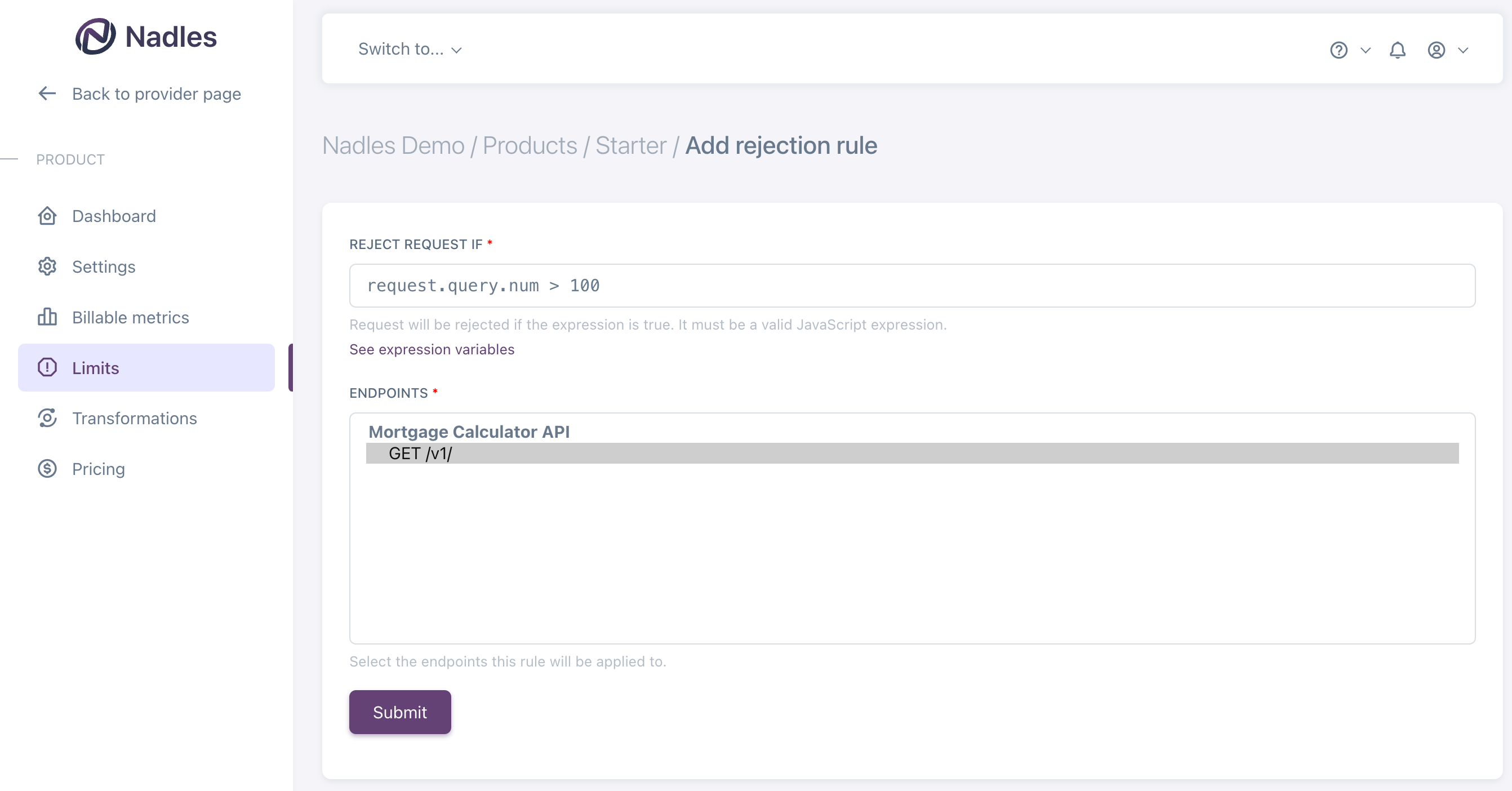 * Enter the expression, select the endpoints this rule applies to, and click **Save**.
* The rejection rule is now added to the product.
## Expression variables
There is a number of variables that can be used in the expression.
Note that response variables are not available, since rejection rules are evaluated **before** proxying the request.
##### Path parameters
`path.params.*` — placeholder values specified in the endpoint URL.
**Example**
If an endpoint URL is `/resource/{resourceId}`
and the HTTP request URL is `/resource/801d49c2-ca05-42b1-97af-baf0ddf36ba3`,
then there will be a variable `path.params.resourceId` with value `"801d49c2-ca05-42b1-97af-baf0ddf36ba3"`.
```js theme={null}
path.params.resourceId // "801d49c2-ca05-42b1-97af-baf0ddf36ba3"
```
Path parameter names are **case-sensitive**.
***
##### Client IP address
`request.remote_addr` — Client IP address.
***
##### Request headers
`request.headers['header-name']` — Request header values.
**Example**
```javascript theme={null}
request.headers['content-type'] == 'application/json'
```
Header names must be in lower case.
***
##### Request query string parameters
`request.query['query_string_parameter_name']` — Request query string parameters.
**Example**
```javascript theme={null}
request.query['page'] > 100
```
Query string parameter names are **case-sensitive**.
***
##### Request body
`request.body` — Request body.
**Example**
```javascript theme={null}
request.body.length > 1000
```
* Enter the expression, select the endpoints this rule applies to, and click **Save**.
* The rejection rule is now added to the product.
## Expression variables
There is a number of variables that can be used in the expression.
Note that response variables are not available, since rejection rules are evaluated **before** proxying the request.
##### Path parameters
`path.params.*` — placeholder values specified in the endpoint URL.
**Example**
If an endpoint URL is `/resource/{resourceId}`
and the HTTP request URL is `/resource/801d49c2-ca05-42b1-97af-baf0ddf36ba3`,
then there will be a variable `path.params.resourceId` with value `"801d49c2-ca05-42b1-97af-baf0ddf36ba3"`.
```js theme={null}
path.params.resourceId // "801d49c2-ca05-42b1-97af-baf0ddf36ba3"
```
Path parameter names are **case-sensitive**.
***
##### Client IP address
`request.remote_addr` — Client IP address.
***
##### Request headers
`request.headers['header-name']` — Request header values.
**Example**
```javascript theme={null}
request.headers['content-type'] == 'application/json'
```
Header names must be in lower case.
***
##### Request query string parameters
`request.query['query_string_parameter_name']` — Request query string parameters.
**Example**
```javascript theme={null}
request.query['page'] > 100
```
Query string parameter names are **case-sensitive**.
***
##### Request body
`request.body` — Request body.
**Example**
```javascript theme={null}
request.body.length > 1000
```