> ## Documentation Index
> Fetch the complete documentation index at: https://docs.nadles.com/llms.txt
> Use this file to discover all available pages before exploring further.
# Pricing page
## Overview
Pricing page displays your selected products including prices, descriptions, and "Subscribe" buttons.
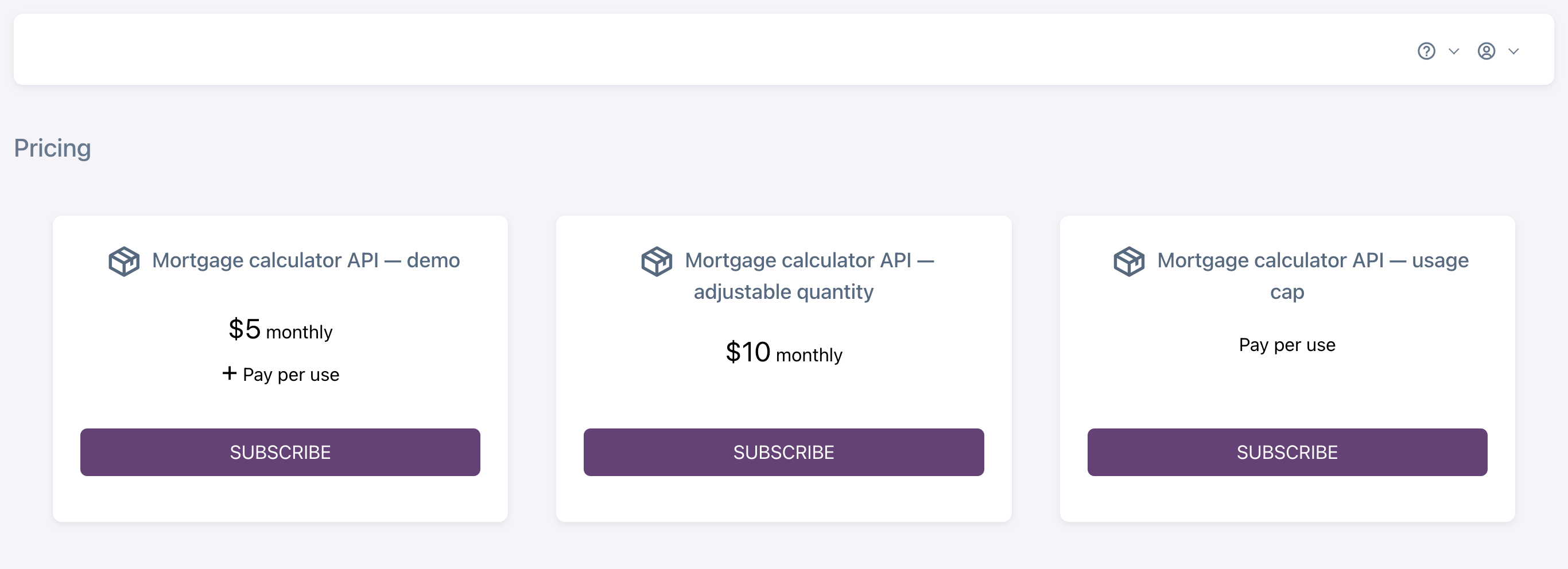 It also replaces the default index page in your user portal that users see when they have no active subscriptions.
That eliminates the need for customers to return to your website from the user portal to select the product to subscribe, which makes the subscription process smoother and increases your conversion rate.
## Public pricing page
The pricing page is also available to non-authenticated users.
If you want to add a pricing page link to your website, use the following URL:
```
https:///pricing/
```
## Embedded pricing page
If you would like to embed the product list in your website, use the following URL:
```
https:///pricing/embedded/
```
This removes all elements other than the product list from the pricing page.
```
```
## Adding products to the pricing page
In order to select a product to be shown on the pricing page, do the following:
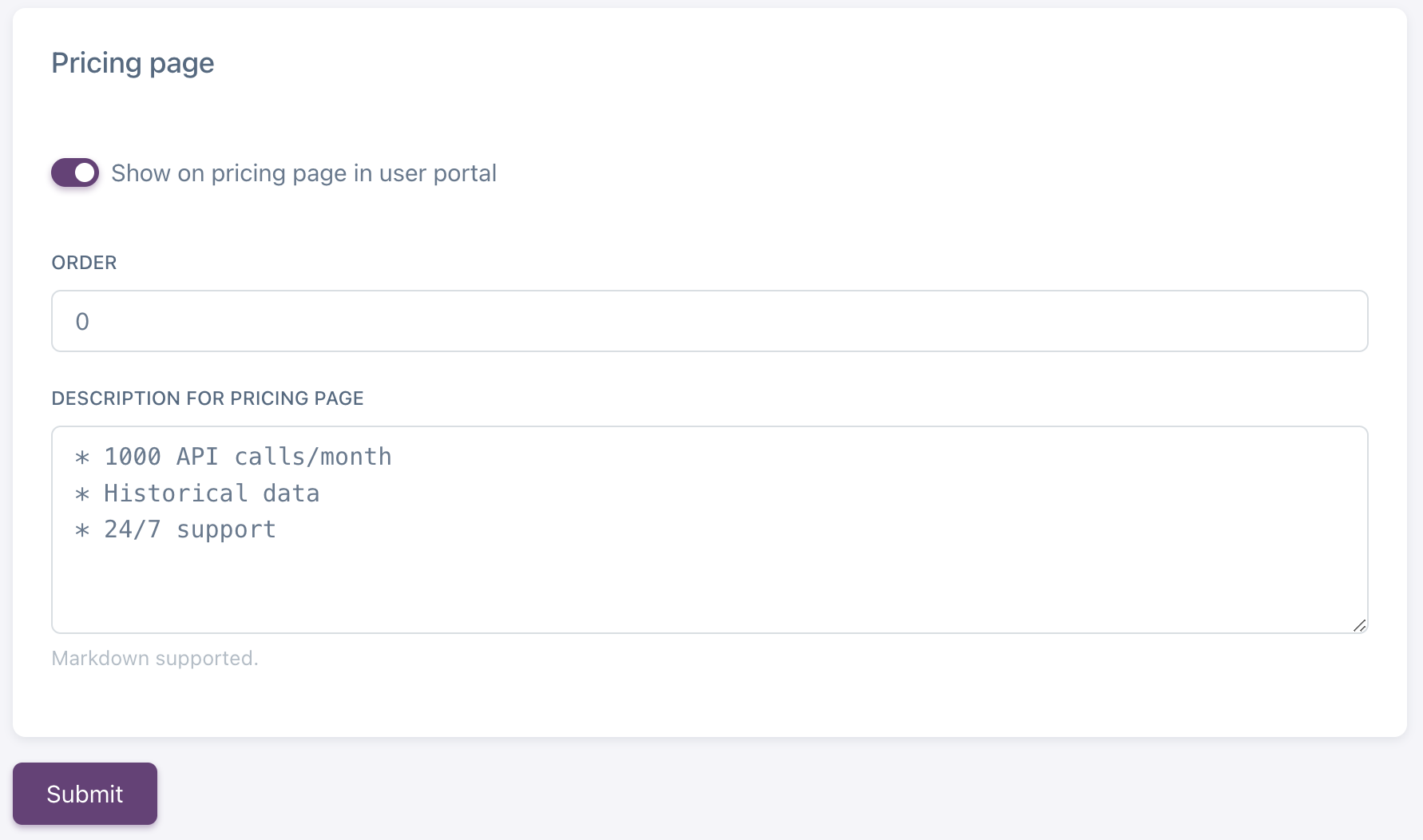
* Navigate to **My Products → select product → Settings**.
* Scroll down to the "Pricing page" section.
* Enable "Show on pricing page in user portal"
* Specify product order on the pricing page.
* Fill in the description that will be shown under the pricing info. The field supports Markdown syntax.
It also replaces the default index page in your user portal that users see when they have no active subscriptions.
That eliminates the need for customers to return to your website from the user portal to select the product to subscribe, which makes the subscription process smoother and increases your conversion rate.
## Public pricing page
The pricing page is also available to non-authenticated users.
If you want to add a pricing page link to your website, use the following URL:
```
https:///pricing/
```
## Embedded pricing page
If you would like to embed the product list in your website, use the following URL:
```
https:///pricing/embedded/
```
This removes all elements other than the product list from the pricing page.
```
```
## Adding products to the pricing page
In order to select a product to be shown on the pricing page, do the following:
* Navigate to **My Products → select product → Settings**.
* Scroll down to the "Pricing page" section.
* Enable "Show on pricing page in user portal"
* Specify product order on the pricing page.
* Fill in the description that will be shown under the pricing info. The field supports Markdown syntax.