
TL;DR:
- Nadles natively supports automatic AI and LLM tokens usage billing.
- All you need is to add one line to billable metric configuration.
- Nadles Gateway processes the response automatically and records the tokens usage.
- Nadles Billing aggregates the usage and initiates payments for your customers.
How it works
1
Create a product
This is a plan that your customers will subscribe to.
2
Add billable metrics
For example, “Input tokens”, “Output tokens”, “Total tokens”, etc.
3
Configure token metering
Let Nadles know the response format for each endpoint, such as OpenAI Completions API, OpenAI Responses API, Anthropic APIs, Ollama, Gemini, etc.
4
Set a price per token
For each billable metric.
5
Set limits on the number of tokens used
Set limits on the number of tokens used for each billable metric.
6
Done
You’ve now set up billing for AI tokens usage. Set up the user portal to let your customers pay and start using your API.
Prerequisites
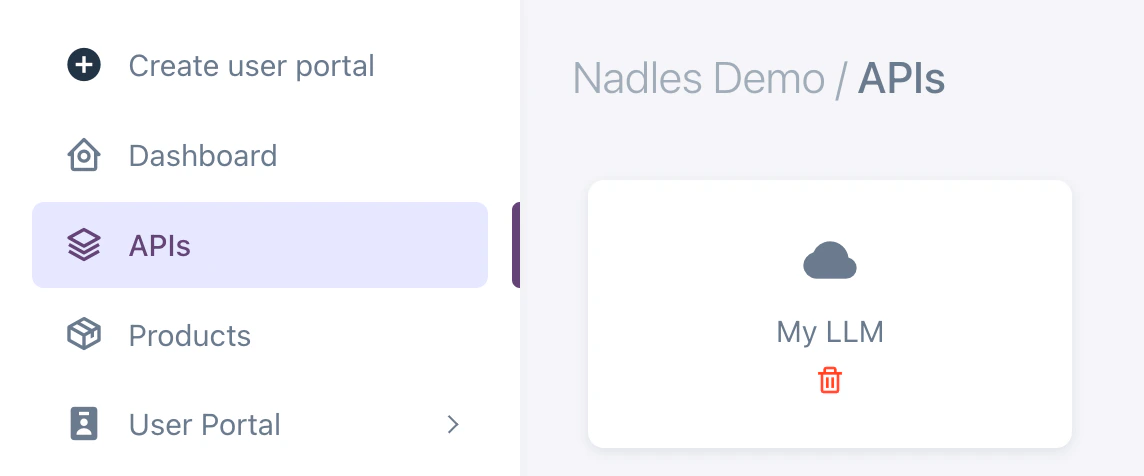
- You’ve added an API
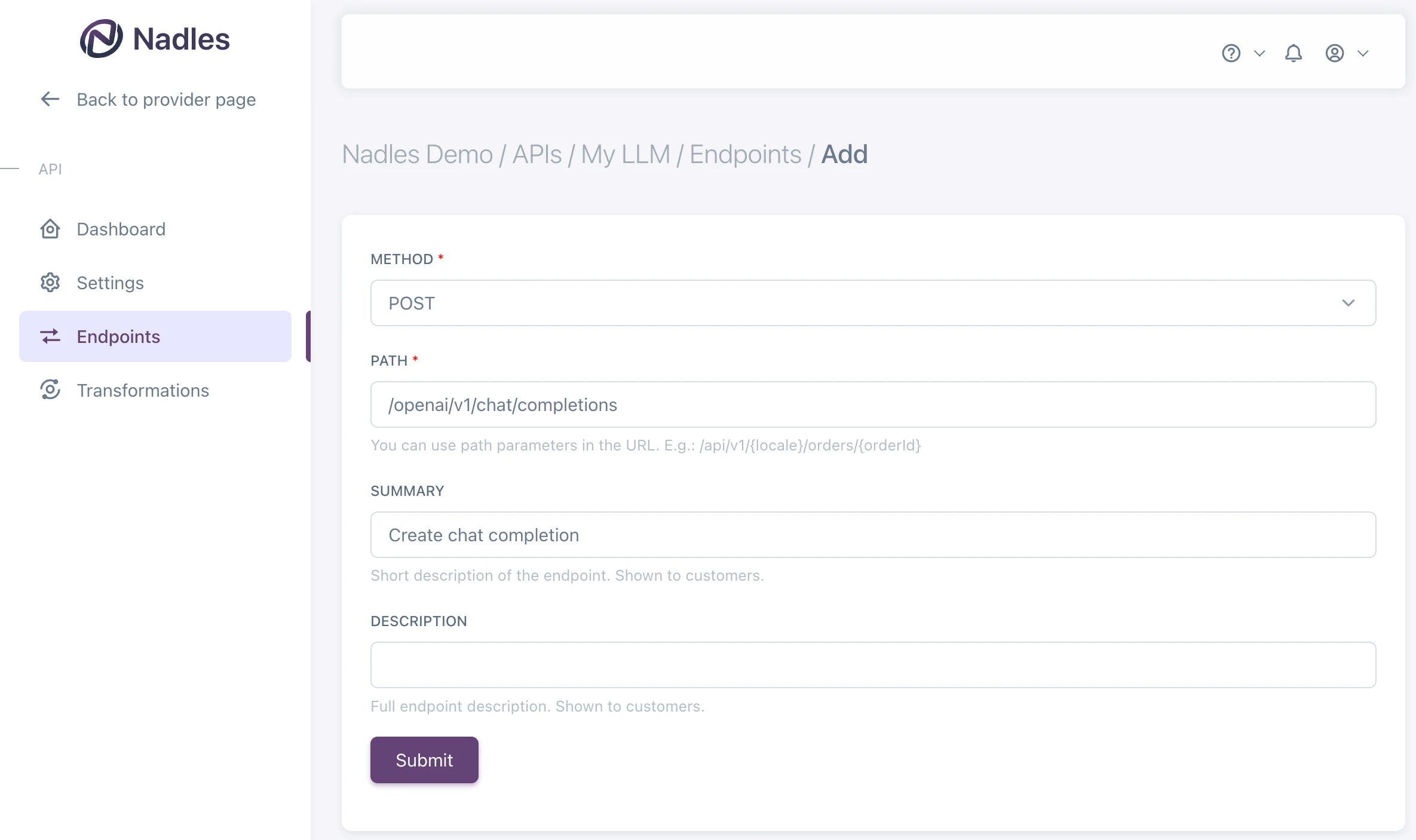
- You’ve added the LLM endpoint
Create product
Navigate to Products in the left menu and click Add new product. Make sure to select the endpoint you want to bill for.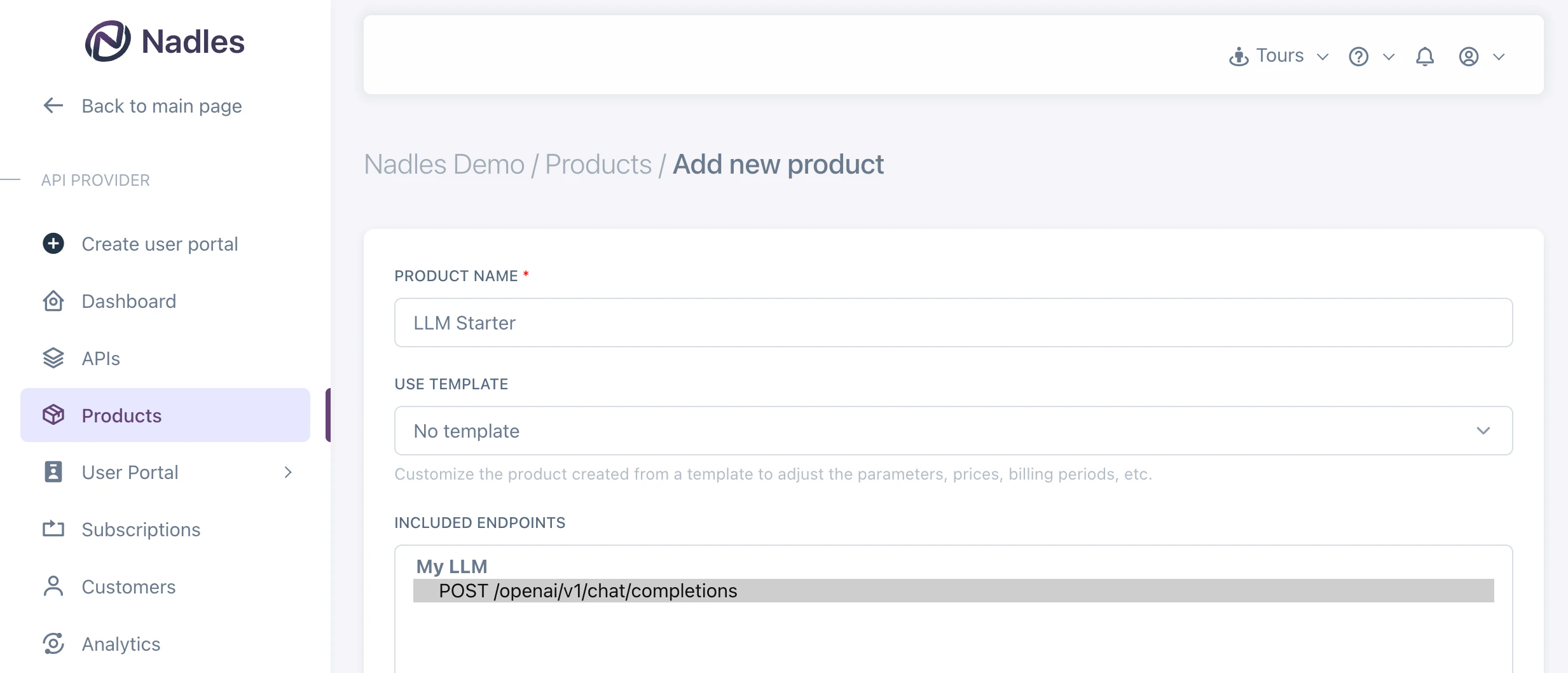
Adding a new product
Add billable metrics
Once the product is created, you can add billable metrics to it. Billable metrics tell Nadles what you want to charge for. For example, “Input tokens”, “Output tokens”, “Total tokens”, etc. Navigate to Billable metrics in the left menu and click Add new metric.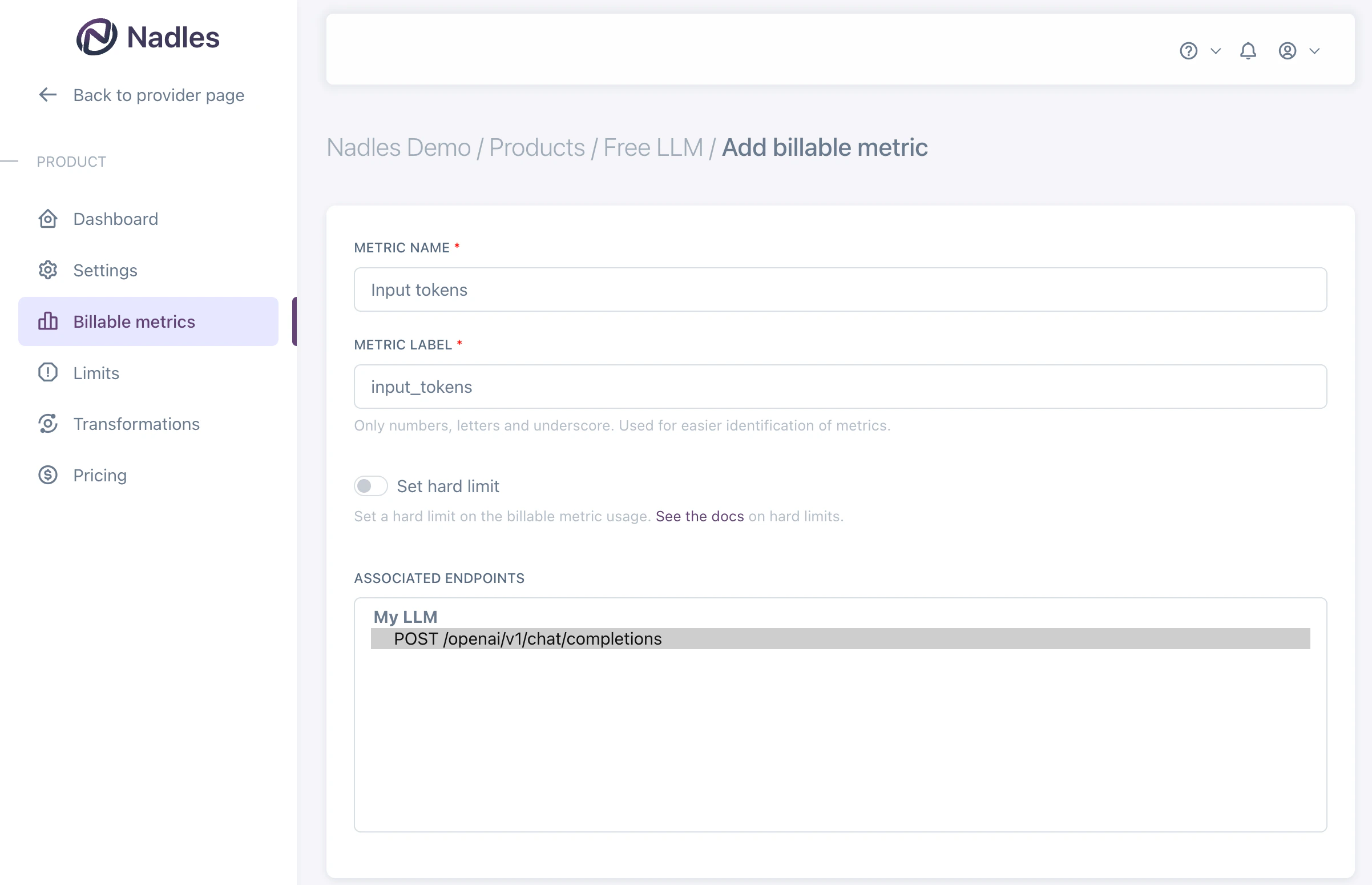
If you need to later associate more endpoints with the billable metrics for the same product, you can do so by navigating to the Usage configuration tab and clicking Add endpoint.
Charge for input and output tokens separately
If you want to charge for input and output tokens separately, you can add two billable metrics: Input tokens and Output tokens. Make sure to select the endpoint you want to bill for. You should associate the same endpoint with both billable metrics.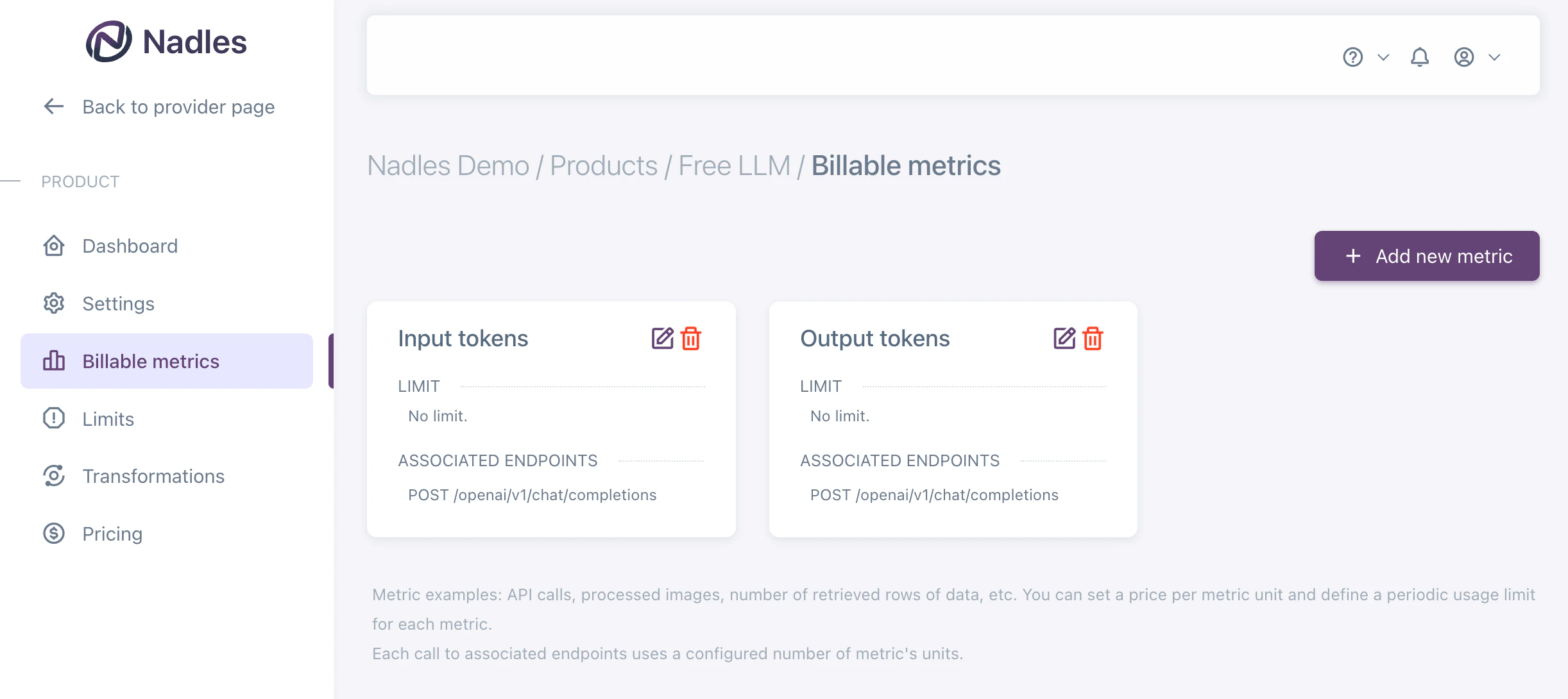
openai_completions_usage().prompt_tokensfor Input tokensopenai_completions_usage().completion_tokensfor Output tokens
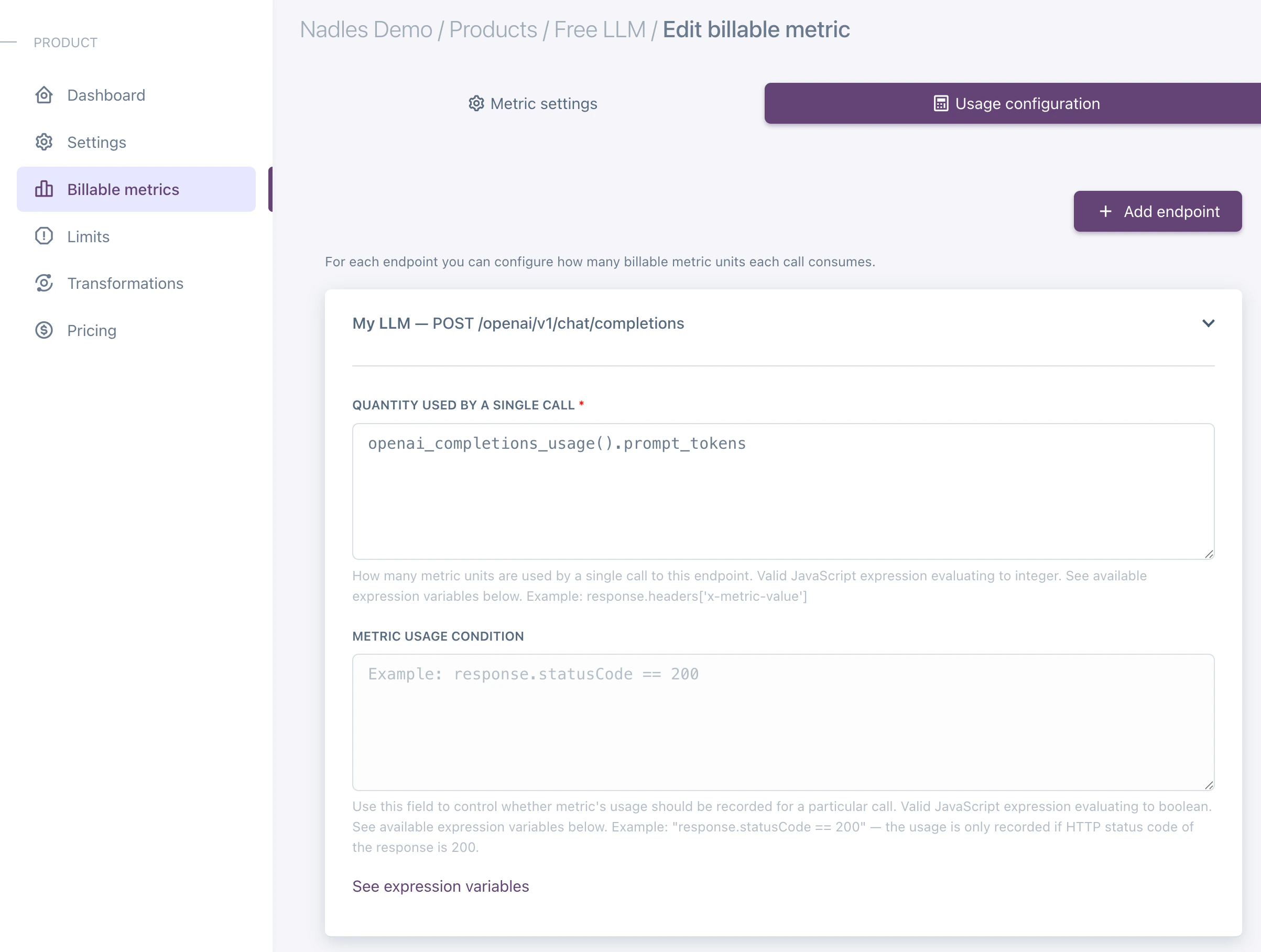
The
openai_completions_usage() function returns the usage of the input and output tokens for the OpenAI Completions API.
If you are using a different API, you can use the following functions:- openai_responses_usage
- anthropic_messages_usage
- ollama_usage
- openai_completions_usage
- deepseek_usage
- mistral_usage
- gemini_usage
Charge for total tokens
If you want to charge for total tokens, you can add one billable metric: Total tokens. Make sure to select the endpoint you want to bill for.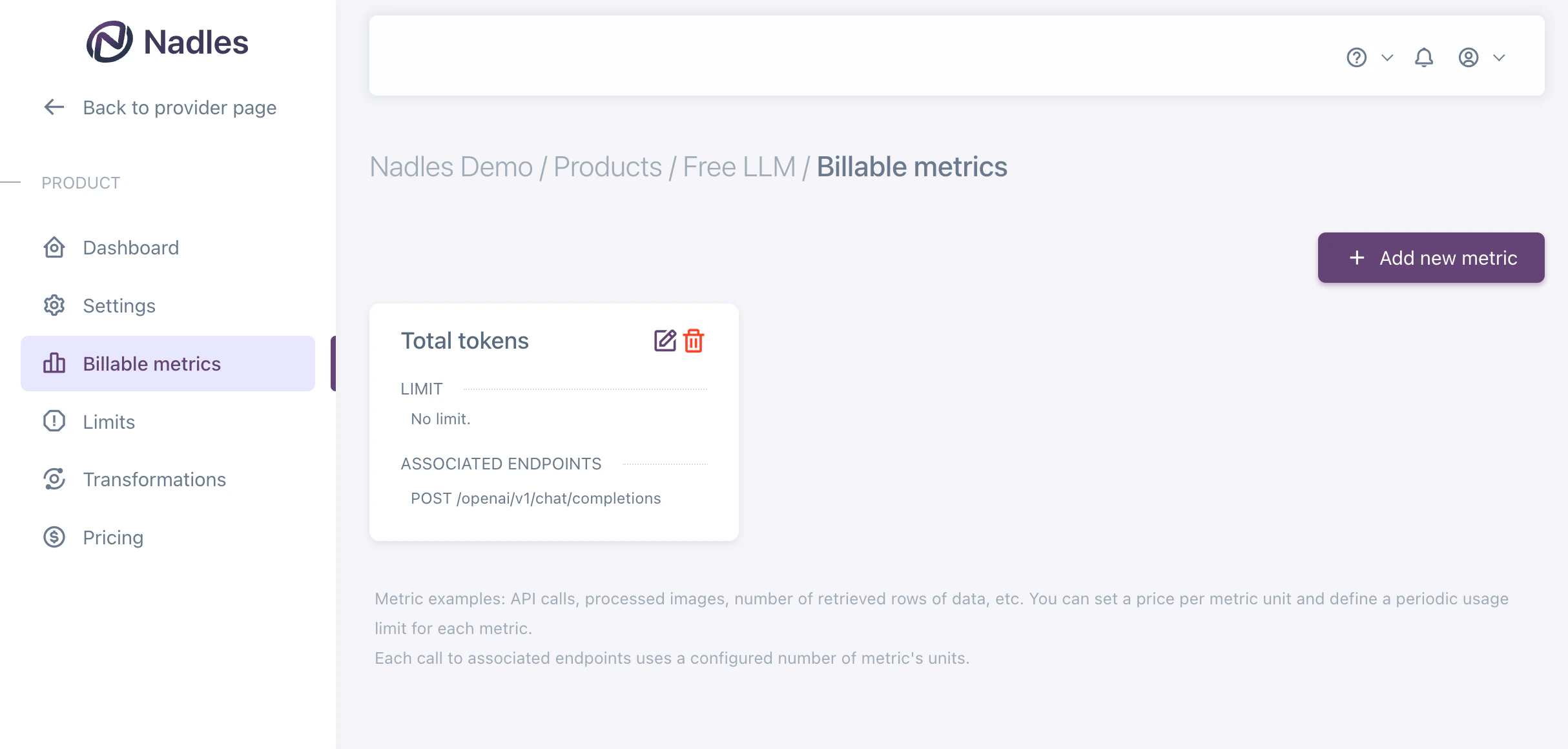
The
openai_completions_usage() function returns the usage of the input and output tokens for the OpenAI Completions API.
If you are using a different API, you can use the following functions:- openai_responses_usage
- anthropic_messages_usage
- ollama_usage
- openai_completions_usage
- deepseek_usage
- mistral_usage
- gemini_usage
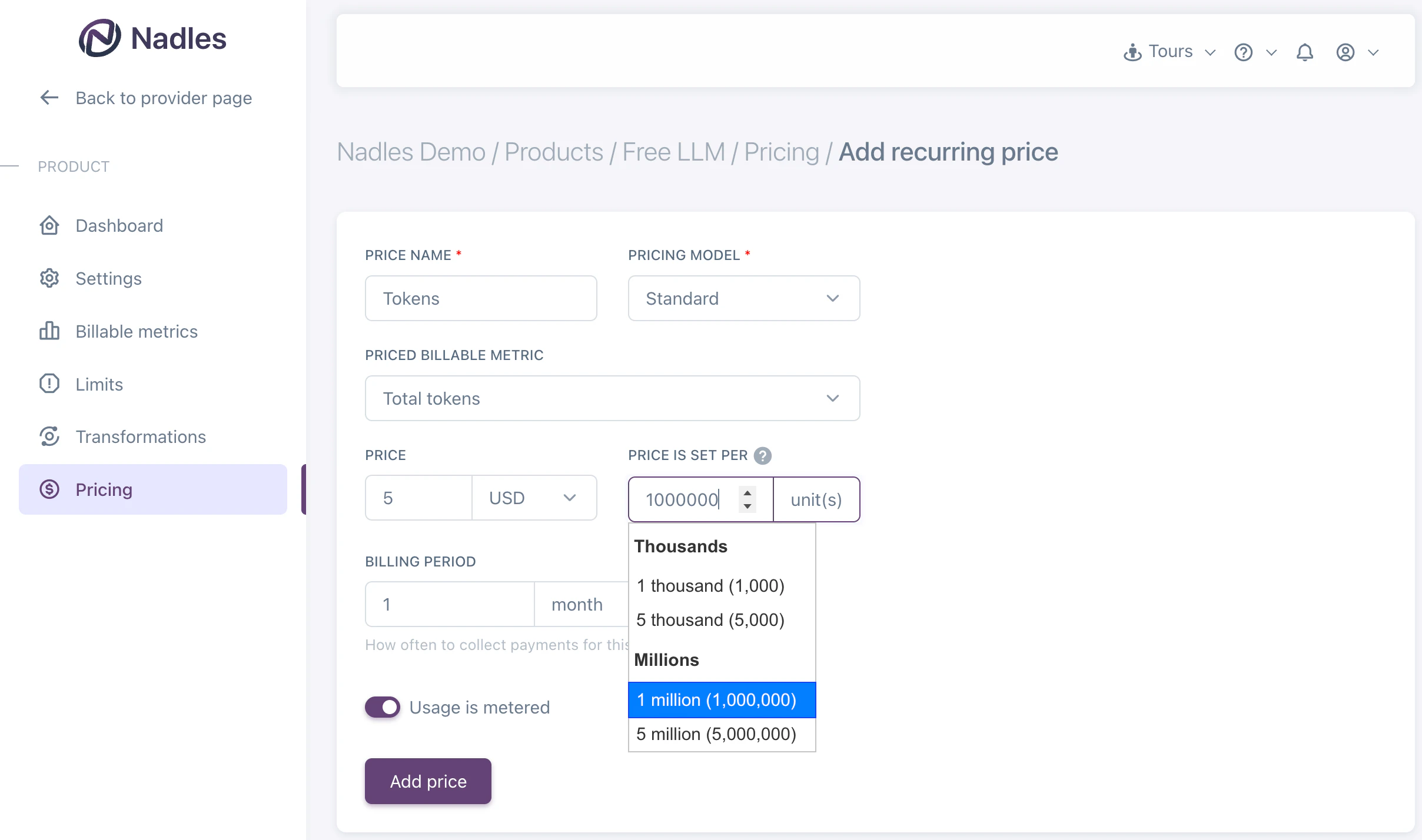
Add prices
Navigate to the Prices in the left menu and click Add recurring price.This is a basic example of a price. You can configure more complex pricing models here.
What’s next
With this setup, Nadles will meter the usage of tokens, calculate the payment amount based on the actual usage and initiate payments for customers subscribed to this product. Set up the user portal to let your customers pay and start using your API.Force usage reporting
To make sure usage is reported by the LLM API if the response is streaming, you may want Nadles API Gateway to modify the request body to include the option to report usage. Use request transformation to achieve that. Usually that is done by adding the following to request JSON body:Body, Action: Replace, Value is: Jq expression.
Enter the following expression as a value:
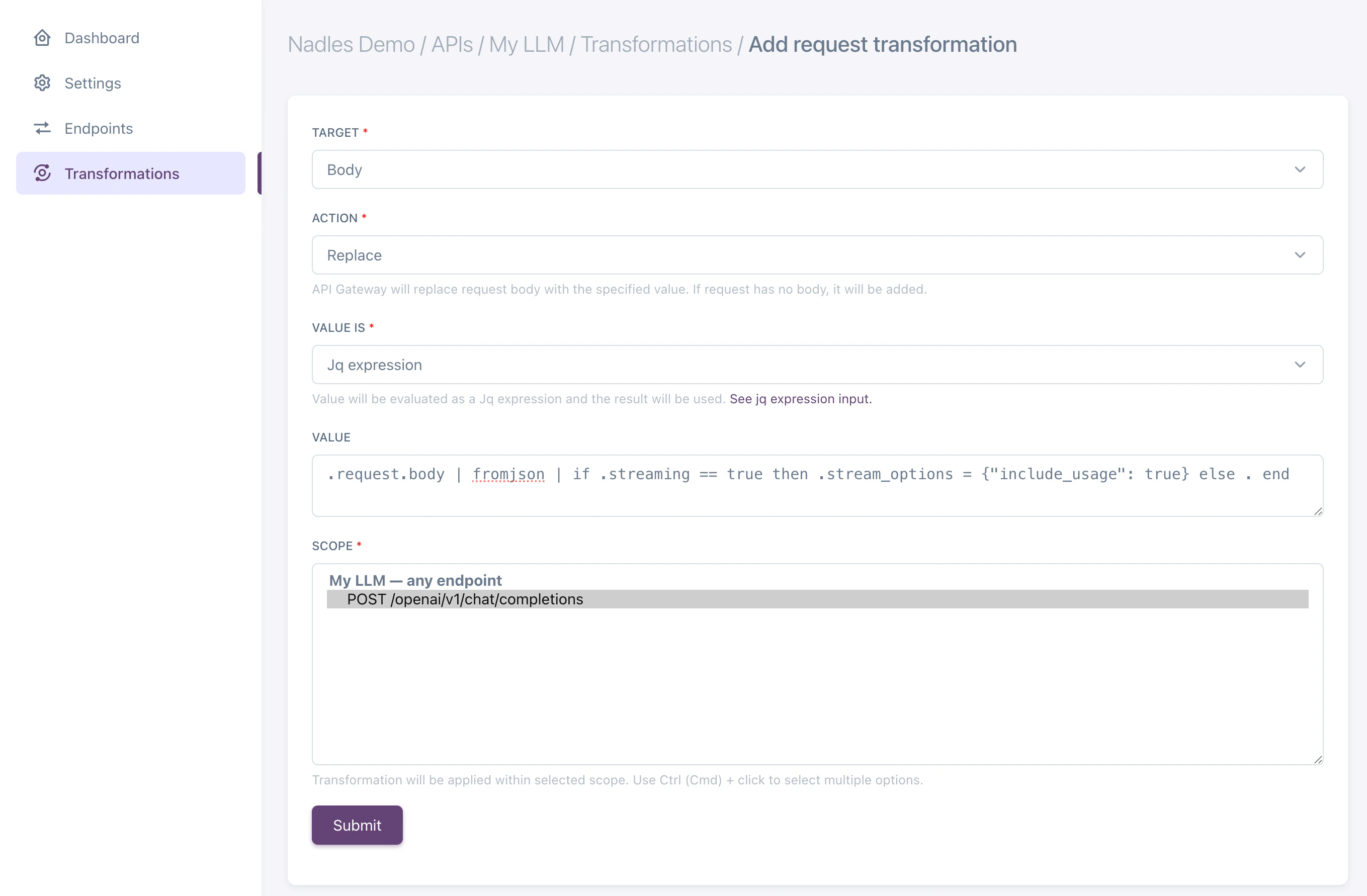
{ stream_options: { include_usage: true }} parameter to the request body if the response is streaming.
Supported response formats
Nadles supports the following response formats, both streaming and non-streaming:OpenAI Completions
Used by: OpenAI Completions API, DeepSeek, Mistral. Also, Ollama supports this format. Function:openai_completions_usage()
Return value:
OpenAI Responses
Used by: OpenAI Responses API. Also, Ollama supports this format. Function:openai_responses_usage()
Return value:
Anthropic models
Used by: Anthropic APIs. Function:anthropic_messages_usage()
Return value:
Ollama
In addition to OpenAI and Anthropic-compatible formats, Ollama uses its own response structure. Its streaming responses differ by using NDJSON (newline-delimited JSON) instead of Server-Sent Events (SSE). To enable Nadles to correctly process Ollama responses, use the following built-in function:Gemini
Used by: Gemini API. Function:gemini_usage()
Return value: